

Edit WooCommerce products in bulk, faster than ever
An efficient, simple, and powerful tool for WooCommerce store managers to edit hundreds, or even thousands of products, in just a few clicks – saving time, reducing errors, and keeping the store catalog always up to date.
A fast and powerful tool to edit hundreds of WooCommerce products in just a few clicks – saving time and reducing errors.
🛡️30-day money-back guarantee. Try it risk-free — if you’re not satisfied, you get a full refund. See Refund Policy
🛡️30-day money-back guarantee. See Our Refund Policy
2. Why use this plugin?
- Save hours of manual editing.
- Bulk update prices, stock, and taxonomies.
- Advanced filtering with smart editing
- Schedule edits or save them for later use
- Runs in the background, no impact on page loads
- Supports variable products
3. Main Features
🔎 Advanced Filtering Options
- Filter by product type
- Filter by taxonomies with advanced operators (AND, OR, strict mode)
- Filter by stock (status or quantity range)
- Filter by price (minimum, maximum, or price range)
- Filter by attributes (i.e. color, size, etc.)
- Filter by attribute values (i.e. red, big)
- Manually include or exclude products by ID
⚙️ Flexible Editing Tools
- Edit regular and sale prices
- Edit categories and tags
- Edit stock status and stock quantity
- Full support for variable products
- Prevents negative price value
🖥️ Smart Editing
- Background processing for edits (no need to wait on the browser)
- Live preview of affected products before applying changes
- Manually exclude products directly from the preview panel
- Save edit templates for future use
- Execute saved templates instantly
- Schedule edits by date & time
- Force negative prices to desired value
4. Woopy Bulk Edit – Workflow
Work in 3 steps: filter → edit → apply
1) Filter the right products
Use advanced filters by product type, taxonomies (AND/OR/strict), stock (status or quantity range), price (min/max/range), and attributes (color, size, etc.).
To add or remove products from the filter results, enter their IDs in a comma-separated list
2) Configure your edit
Set rules for regular and sale prices, categories and tags, and stock status/quantity.
3) Preview and apply
Get a live preview of affected products and manually exclude any that you don’t want to update.
Screenshots Gallery
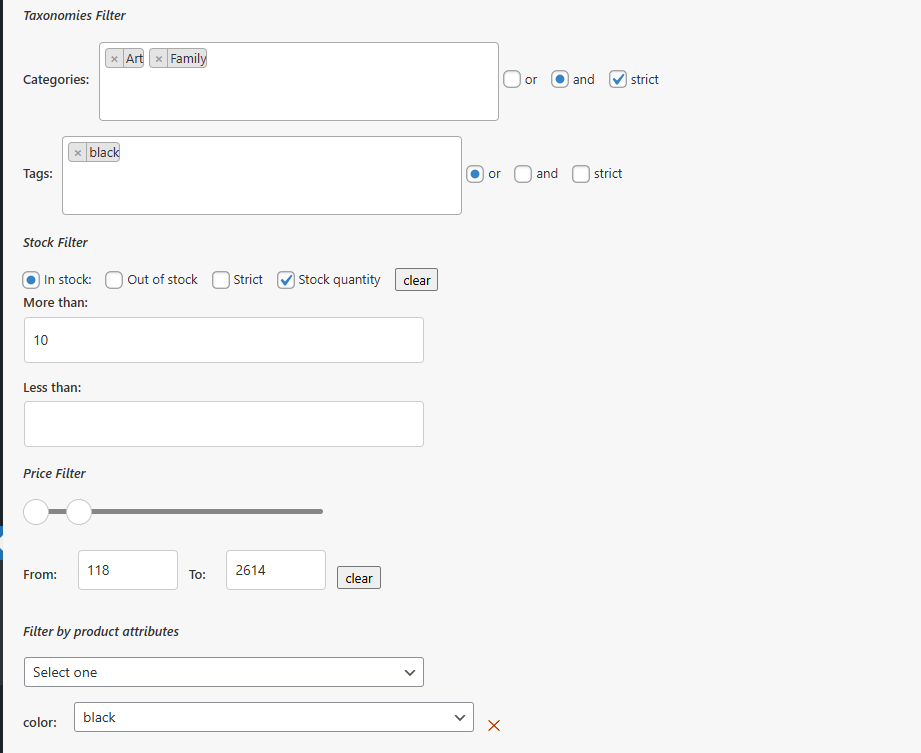
Find exactly the products you need to edit
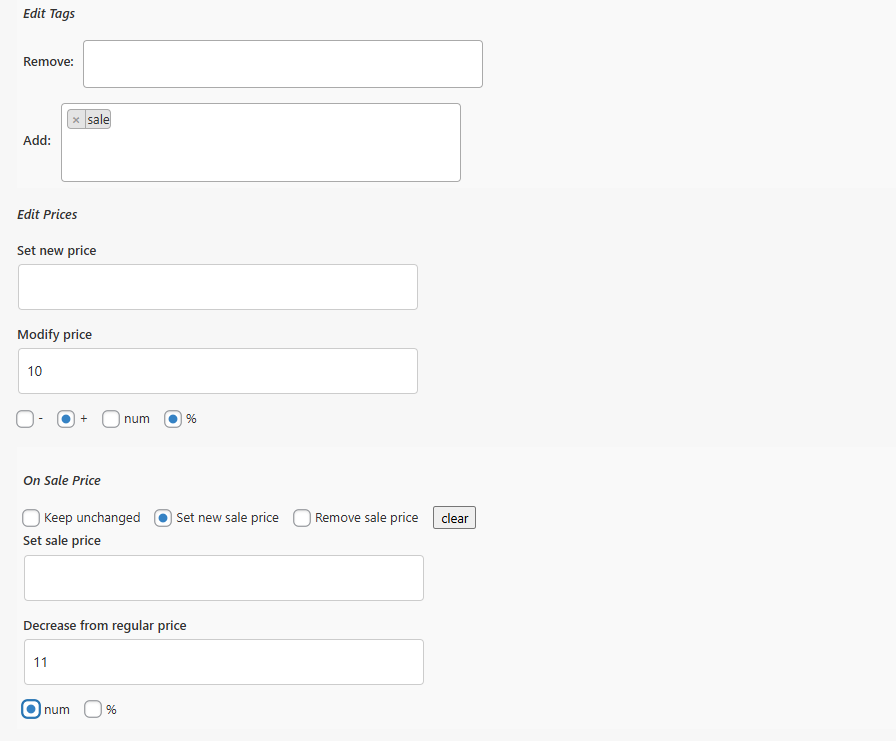
Define clear editing rules for prices, stock, categories, and tags
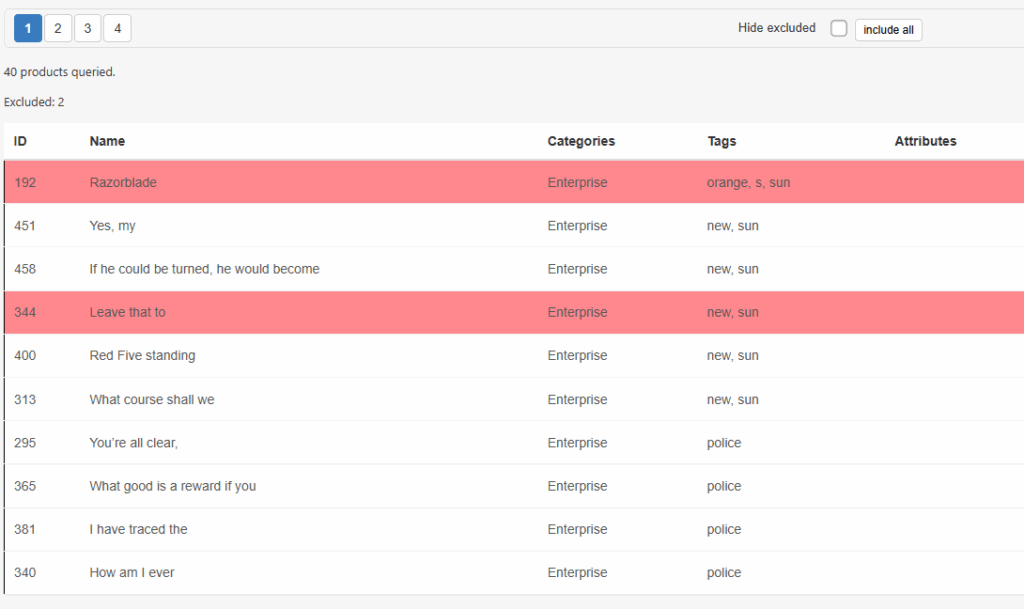
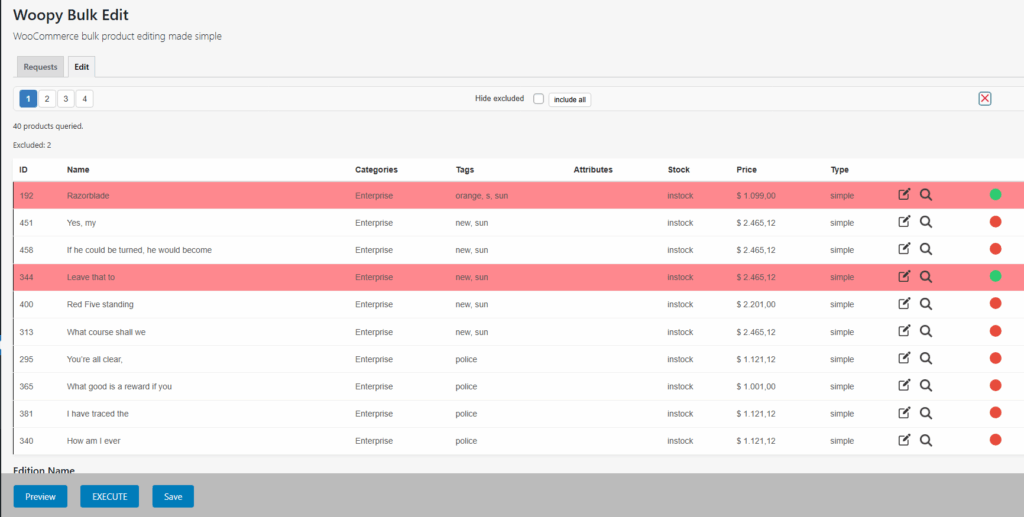
Preview, exclude as needed, and apply with a single click
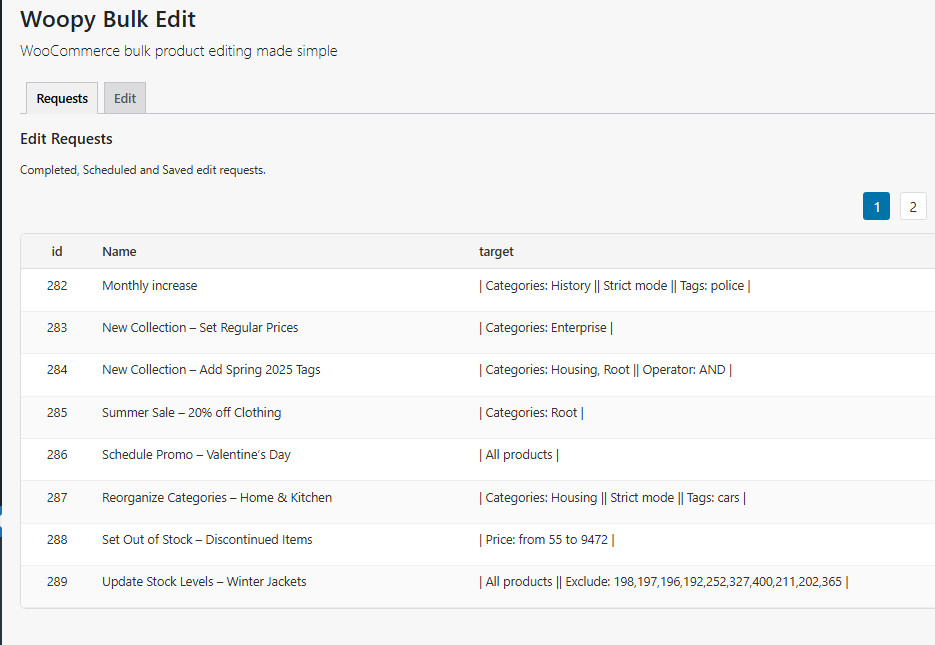
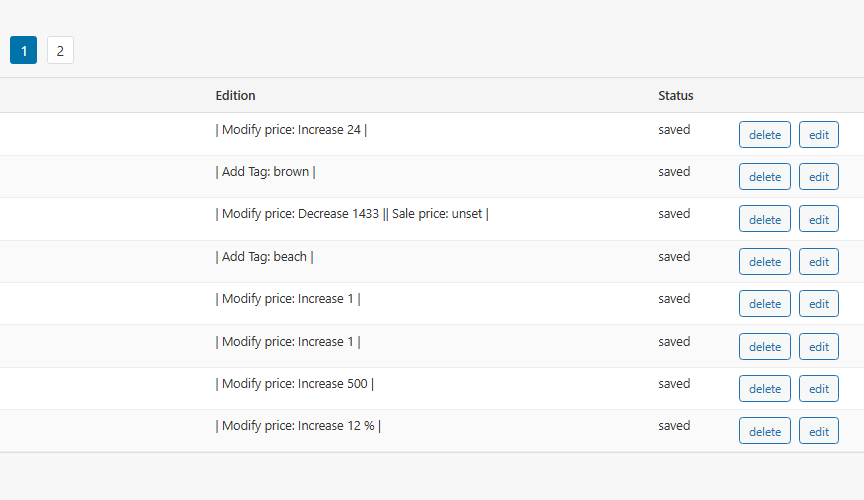
Organize, track, and schedule all your edits in one place.
5. Support & Reliability
Reliable support included
Every purchase comes with dedicated customer support. Whether you need help setting up, troubleshooting, or exploring advanced features, our team is here to assist you.
Regular updates & compatibility
We provide continuous updates to keep the plugin fully compatible with the latest versions of WordPress and WooCommerce. You’ll always benefit from new features, improvements, and security patches.
Case studies
Urgent Action
- Situation: The store ends its relationship with a supplier and needs to immediately stop selling that supplier’s products.
- Solution: By filtering products by the “brand” attribute, all products from that brand can be set to “out of stock” in less than a minute.
Temporary Promotion
- Situation: The store has over a thousand products and occasionally wants to offer a promotional discount for all products during a weekend.
- Solution: Schedule a product edit to enable the sale price for the desired date, and another scheduled edit to disable the sale price after two days.
Creating a Product Collection
- Situation: The store sells a wide variety of products and wants to track a specific selection of items that are unrelated to each other.
- Solution: Use the available filters, including manual selection, to identify the desired products. Assign a unique tag to group these selected products for easier management
Freeware VS. Premium
| Feature | FreeWare | Premium |
|---|---|---|
| Manual Filter | ✅ | ✅ |
| Taxonomies Filter | ✅ | ✅ |
| Edit Taxonomies | ✅ | ✅ |
| Edit Prices | ✅ | ✅ |
| Attributes Filter | ❌ | ✅ |
| Price Filter | ❌ | ✅ |
| Stock Filter | ❌ | ✅ |
| Edit Stock | ❌ | ✅ |
| Schedule Edits | ❌ | ✅ |
| Save Edits | ❌ | ✅ |
| Premium Support | ❌ | ✅ |
| Variable Products Support | ❌ | ✅ |
Still have doubts? Upgrade to Premium and discover the plugin’s full potential
Take control of your WooCommerce store today
Stop wasting hours on repetitive edits. With
Woopy Bulk Edit Premium, you can update thousands of products in just a few clicks.
💰30-day money-back guarantee. Try it risk-free — if you’re not satisfied, you get a full refund. See Refund Policy
Discover All Features of the Plugin
Filtering Features
- ✅ Select all products
- ✅ Filter by product type
- ✅ Filter products by taxonomies with OR-AND operator
- ✅ Strict mode for taxonomies filter
- ✅ Filter by stock status or stock quantity
- ✅ Attributes filter
- ✅ Filter by price range
- ✅ Manual filters (include, exclude products by ID)
Editing Features
- ✅ Add / Remove taxonomies
- ✅ Edit regular price
- ✅ Edit / Set / Unset Sale price
- ✅ Edit stock quantity and status
- ✅ Schedule the Edit
Plugin Settings
- ✅ Clean Edit requests list
- ✅ Delete all database data on uninstall
- ✅ Enable AJAX edits
- ✅ Disable editing on frontend
- ✅ Force minimum prices
- ✅ Priority support and updates
General Features
- ✅ Save edits for further reuse
- ✅ Supports variable products (Filter & Edit variations)
- ✅ Preview panel with exclude controls
- ✅ Prevent negative values of prices
FAQs
- Can I schedule edits to apply automatically in the future?
- Yes! Woopy Bulk Edit Premium allows you to schedule edits and apply them automatically on the desired dates.
- Can I reuse previous edits?
- Yes! You can save any edit and apply it again later to save time. Additionally, every time you execute an edit, it is automatically stored in the list of completed edits for easy access and future reuse.
- How can I download the plugin that I just purchased?
- After completing your purchase, you’ll be able to download the plugin ZIP file from your account. We’ll also send you an email with complete instructions. Please refer to our documentation for full information.
- What if I’m not satisfied with the plugin?
- No problem — Woopy Bulk Edit Premium comes with a 30-day money-back guarantee.
Proudly powered by WordPress